
A quick way to type lots of dummy text in Word
Applies to: Word 2007, Word 2010, Word 2013, Word 2016 Here’s a tip for you when you want to type lots of dummy text in Word when you are for example …
Applies to: Word 2007, Word 2010, Word 2013, Word 2016 Here’s a tip for you when you want to type lots of dummy text in Word when you are for example …

Applies to: Word 2010, Word 2013, Word 2016 Did you ever wonder what Widows and Orphans were in Word? Widows and Orphans are the terms referring to lines left on …
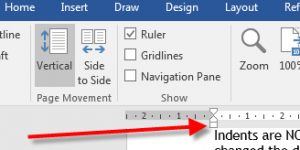
Applies to: Word 2016, Word 2013, Word 2010, Word 2007, Word 2003 You can use indents in Word to make your documents look professional and easier to read. Indents are paragraph features that control how …
Applies to: Word 2016, Word 2013, Word 2010, Word 2007, Word 2003 Everyone knows about “cut and paste” but most people only use it as a very basic tool. They are unaware of the huge …
Applies to: Word 2016, Word 2013, Word 2010, Word 2007, Word 2003 Section breaks in Word are vital to grasp if you are creating long documents with different headers and footers, mixing portrait and landscape …